 |
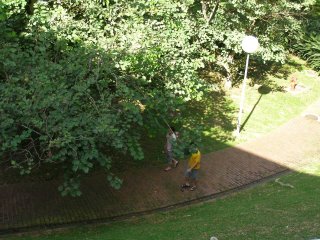
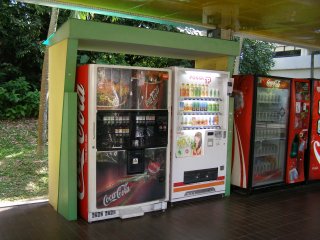
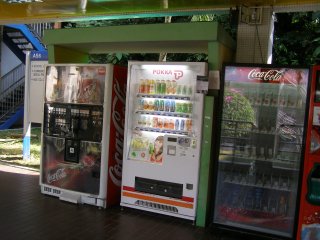
| Tracking Over Non-Overlapping Cameras Surveillance cameras are often set up to monitor different areas of an environment with no overlap of fields of views. They capture entirely different backgrounds. When an object moves from the view of a camera to the next, it temporarily disappears from both views. Simple case: no occlusion of objects (humans) to be tracked:
More complex case: Objects (humans) to be tracked are sometimes occluded:
Project Objective: Track the moving objects over multiple non-overlapping cameras. The algorithm should identify the corresponding objects in the different views and track them correctly and accurately within each view. Grading Criteria: > The algorithm should be as automatic (i.e., little user input) as possible. > The tracking results should be as accurate as possible. Difficulty Levels: > Entry Level: 2 cameras, no occlusion. User indicates the object to track in camera 1. > Intermediate Level: As in Entry Level except that the objects are occluded some of the time. > Advanced Level: More than 2 cameras, have occlusions but lighting condition is stable. Algorithm automatically detects the moving objects, > Ultimate Challenge: As in Advanced Level except that the lighting conditions between camera views may vary. Notes: > Please shoot your own videos for this project. > Project teams doing this project may borrow 2 cameras from Lab Tech initially. > When you progress to the Advanced Level, then you may borrow more than 2 cameras with instructor's consent. |
||||||
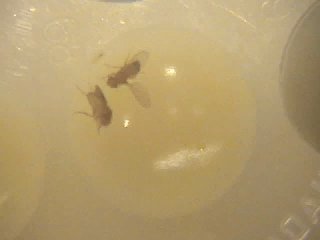
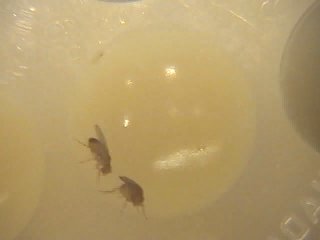
| Tracking of Fruit Flies Fruit flies have been regarded by biologists as an important model organism for the study of neurobiology and behavior. Research on fruit flies has led to the understanding of many behaviors of medical interest such as drug abuse, aggression, sleep deprivation, aging and memory loss. An emerging technology is to use computer vision techniques to track and understand the behavior of fruit flies in a semi-complex environment.
Sample trajectory of a fly: 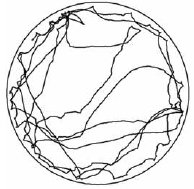 Project Objective: Track the individual fruit flies in the video. Grading Criteria: > The algorithm should be as automatic (i.e., little user input) as possible. > The tracking results should be as detailed and as accurate as possible. Difficulty Levels: > Entry Level: One fly.Track the flies in the video. > Intermediate Level: Two flies. Track a specific point in each fly and plot the trajectory of the flies, as shown in the picture above. > Advanced Level: As in Intermediate Level but also identify the orientation of the each fly, i.e., the positions of their heads and tails. > Ultimate Challenge: As in Advanced Level but track multiple flies in a congested environment.Notes:Download a sample video here. For more videos, please contact the instructor. |
||||||
| 3D Object / Scene Reconstruction Images of a 3D scene can be taken at several different viewing angles. To capture all information of the scene, images must be taken at multiple viewing angles all around the object.
Project Objective: Given multiple views of a 3D scene, reconstruct a 3D model of the scene. Grading Criteria: > The algorithm should be as automatic (i.e., little user input) as possible. > The reconstruction results should be as detailed and as accurate as possible. Difficulty Levels: > Entry Level: Two views, reconstruct objects with regular shapes. User manually specifies a small set of corresponding points in the two views. > Intermediate Level: As in Entry Level except that multiple views are used to capture all sides of the objects. > Advanced Level: As in Intermediate Level except that the algorithm automatically finds matching image points between the views. > Ultimate Challenge: As in Advanced Level except that 3D model of the entire scene is reconstructed. Notes: > Please shoot your own scene images for this project. > Fix the lens' focal length to shoot the scene images and calibration images. Then, you can use the calibration images to calibrate the intrinsic parameters of the camera. > In reconstructing the objects, you can recover the 3D landmark points on the objects and then join them up appropriately to form a triangular mesh. Standard mesh file formats include OBJ and PLY, which are very straightforward. Then, you can display the triangular mesh using a standard 3D model displayer such as MeshLab. > Show the accuracy of your results by computing appropriate error measures, e.g., the error between the projections of the reconstructed 3D points and the actual image points. |
||||||
Recover Relative Orientation Between Views |
||||||
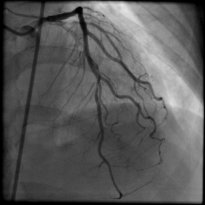
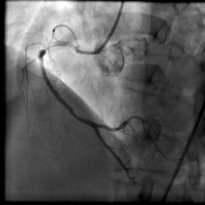
| Temporal Alignment of Angiogram Sequences In treating patients with coronary artery diseases, doctors examine the angiogram sequences of the arteries. In an angiogram sequence, the coronary arteries appear to move and change shape due to the contraction of the heart, the breathing motion of the body, and sometimes, the motion of the camera. Typically, the heart contracts at a higher frequency than the breathing action, while the motion camera is non-periodic. Also, they appear to become opaque and visible or invisible due to the flowing of a contrast agent in the arteries. 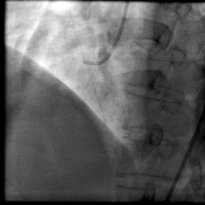 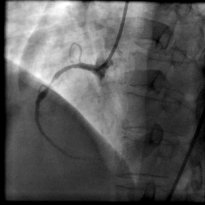 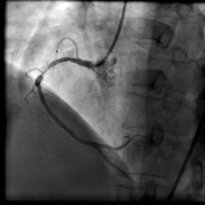 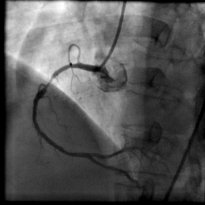 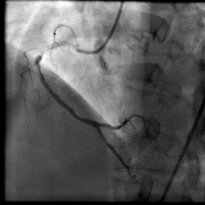 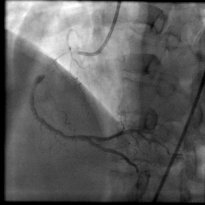 Project Objective: Determine the cardiac (heart) cycles of the sequences and then temporally align different sequences to match the cardiac cycle. Grading Criteria: > The algorithm should be as automatic (i.e., little user input) as possible. > The alignment results should be as accurate as possible. Difficulty Levels: > Entry Level: One sequence, manually identify some correspoinding points in all the frames in the sequence. > Intermediate Level: Two sequences, manually identify some correspoinding points in some frames in the sequences and the algorithm finds the other corresponding points. > Advanced Level: As in Intermediate Level except that more than two sequences are aligned with fewer user inputs. > Ultimate Challenge: As in Advanced Level except that the algorithm automatically finds all the corresponding points. Notes: > Download the image sequences here. > Display the alignment results by making new videos with two or more views shown side-by-side. |





Last update: 13 Sep 2010